
Nothing is more frustrating than seeing your screen freeze right at the most exciting moment of a live football match or a gripping movie scene. If you are searching for how to How to Stop IPTV Buffering UK, you are definitely not alone. The good news is that most freezing issues are easy to fix. They usually come down to a weak Wi-Fi signal, peak-hour network congestion, or simply needing a stable connection to enjoy seamless, high-definition entertainment without interruption.
Why Does IPTV Keep Buffering?
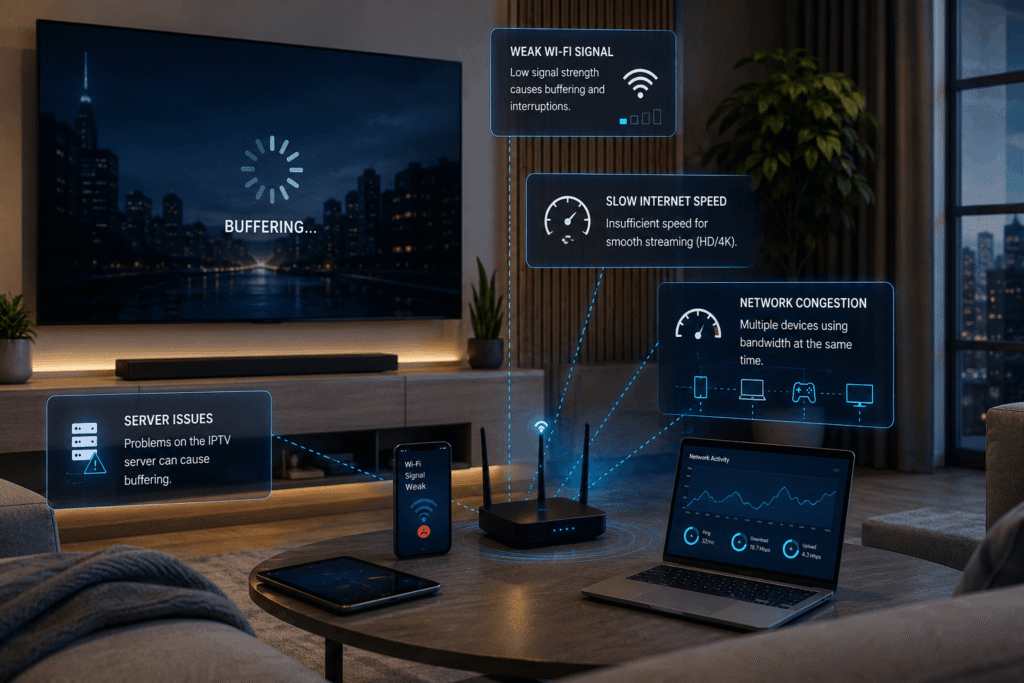
Buffering happens when your device cannot receive enough video data to continue playback smoothly. However, if you want to completely How to Stop IPTV Buffering UK, remember that your internet speed is important, but it is definitely not the only factor.
Common causes include:
- Slow or unstable internet
- Weak Wi-Fi signal
- Too many devices using the network
- Poor router placement
- Outdated streaming devices
- High-quality 4K streams
- Network congestion
- Problems with the streaming source
If every stream buffers, your home network or device may be responsible. If only one particular stream buffers, the issue may be with that stream.
Check Your Internet Speed
Start by running a speed test on the device you’re using for streaming.
As a general guide, HD streaming may require around 5–10 Mbps, while 4K streaming can require 25 Mbps or more. However, if you want to effectively How to Stop IPTV Buffering UK, remember that stability is just as important as raw speed.
Try testing your connection when buffering occurs, particularly during busy evening hours.
Use Ethernet Instead of Wi-Fi
One of the easiest ways to improve streaming stability is to connect your Smart TV or streaming box directly to your router using an Ethernet cable.
Ethernet avoids many common Wi-Fi problems, including:
- Weak signal
- Interference
- Distance from the router
- Wireless congestion
If Ethernet isn’t possible, move your router closer to the streaming device and keep it in an open location.
Reduce Network Congestion
Other devices on your network can consume a large amount of bandwidth.
Before watching live TV, consider pausing:
- Large downloads
- Game updates
- Cloud backups
- 4K streaming on other devices
- Unnecessary uploads
If your router supports QoS, you may also be able to prioritise your streaming device.
Lower the Video Quality
If 4K constantly buffers but HD works smoothly, your available bandwidth or device may be struggling with the higher bitrate.
Try changing the quality from 4K to 1080p.
A slightly lower resolution with smooth playback is usually much better than constantly stopping and loading.
Restart Your Router and Device
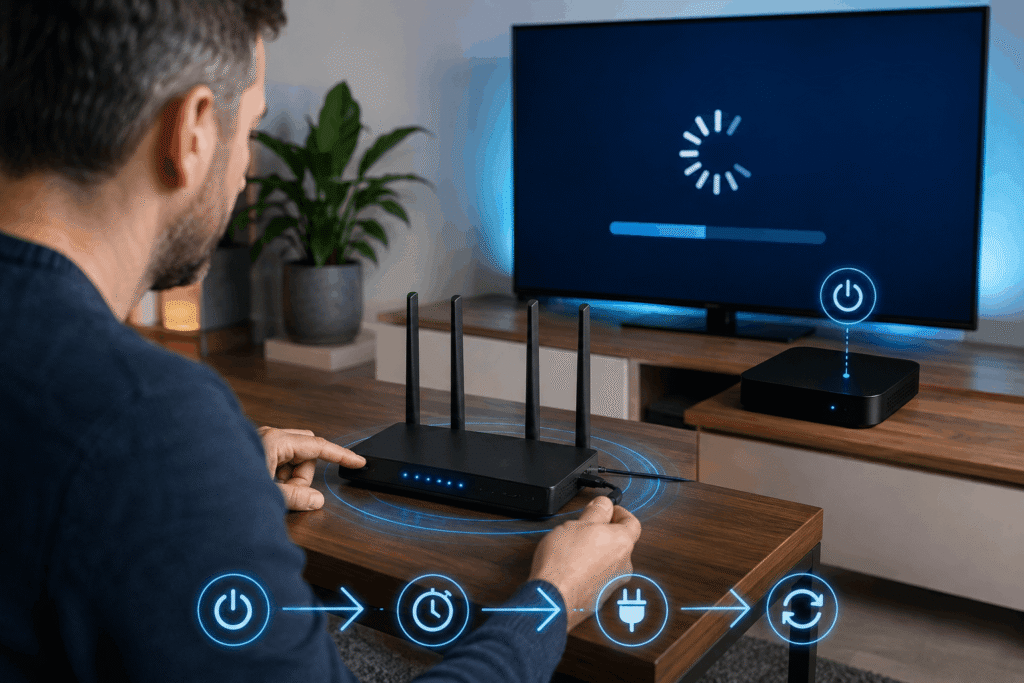
Temporary network problems can sometimes cause buffering.
Turn off your streaming device, unplug your router for around 30–60 seconds, reconnect it, and then restart your device.
This simple step can resolve temporary connection issues and reconnect your equipment to the network.
Clear the App Cache
If your streaming application has become slow or unstable, clearing its cache may help.
On many Android devices, go to:
Settings → Apps → Your Streaming App → Storage → Clear Cache
Then reopen the application and test playback.
Check Whether the Stream Is the Problem
If most streams play normally but one particular channel or programme constantly buffers, your internet may not be the problem.
Try another stream or test the same service on another device.
If only one stream has problems, the issue may be related to the source rather than your home connection.
Frequently Asked Questions
Why does IPTV buffer with fast internet?
A fast internet connection does not always guarantee stable streaming. If you want to successfully How to Stop IPTV Buffering UK, keep in mind that Wi-Fi interference, latency, packet loss, network congestion, device performance, and streaming-source problems can all cause freezing.
Is Ethernet better than Wi-Fi for IPTV?
Generally, yes. Ethernet provides a more consistent connection and avoids many wireless interference problems.
Is 100 Mbps enough for IPTV?
For many households, 100 Mbps is sufficient for HD and 4K streaming. However, other users and devices can reduce the bandwidth available to your TV.
Why does IPTV buffer at night?
Evening buffering is often caused by heavy network usage or local ISP congestion. If you want to effectively How to Stop IPTV Buffering UK, make sure to test your connection at different times of the day to see how performance changes.
Conclusion
If you want to know how to How to Stop IPTV Buffering UK, start with the basics. Check your internet speed, use a wired Ethernet connection where possible, improve your Wi-Fi coverage, reduce heavy network congestion from other devices, restart your streaming equipment, and temporarily lower the video quality if necessary. If only one stream continues to buffer while everything else works normally, the problem may be with the streaming source rather than your internet connection.
To stop IPTV buffering UK permanently, upgrading your provider is often the best solution. Discover our top recommendations in our best IPTV service in the UK guide for a smooth, freeze-free viewing experience.