
A 4K television deserves more than an ordinary stream. If you have invested in a modern Smart TV but still experience blurry images, buffering, or sudden drops in quality, the problem may not be your television at all.
Finding the best 4K streaming IPTV UK service means looking beyond a long channel list. You need to consider genuine 4K availability, server stability, internet speed, device compatibility, picture quality, and overall reliability.
Whether you mainly watch live sports, movies, entertainment, or international channels, choosing the right IPTV service can make a noticeable difference. This guide explains the most important things to check before subscribing so you can make a more informed decision.
What Is 4K IPTV?
4K IPTV delivers television and video content over an internet connection in Ultra HD resolution. Standard 4K generally provides a resolution of 3840 × 2160 pixels, offering significantly more detail than Full HD.
The technology works across a variety of devices, including:
- 4K Smart TVs
- Android TV boxes
- Fire TV devices
- Smartphones and tablets
- Computers and laptops
- Compatible IPTV players
However, simply owning a 4K television does not automatically mean you will receive 4K-quality content. The provider, stream, application, device, and internet connection all play a role.
This is why looking specifically for the best 4K streaming IPTV UK option requires more research than simply choosing the cheapest subscription available.
1. Check Whether the Provider Offers Genuine 4K Content
One of the first things to investigate is the actual quality of the available streams.
Some IPTV services advertise thousands of channels but provide very little genuine Ultra HD content. Others may offer channels labelled “4K” without providing the bitrate or consistency you would expect from a proper UHD stream.
Before subscribing, check whether the provider clearly identifies its 4K content.
Look for:
- Dedicated UHD channels
- 4K sports content
- Ultra HD movies
- High-quality entertainment channels
- Clear information about stream resolution
The best 4K streaming IPTV UK service should make it reasonably clear which content is available in 4K instead of simply using “4K” as a marketing term.
Why Bitrate Matters
Resolution is only part of the picture.
A 4K stream with a very low bitrate can look worse than a well-encoded Full HD stream. Bitrate determines how much visual information is transmitted, which can affect details, motion, textures, and fast-moving scenes.
This becomes particularly noticeable during football matches, action movies, and other content with rapid movement.
2. Look for Stable Streaming Performance
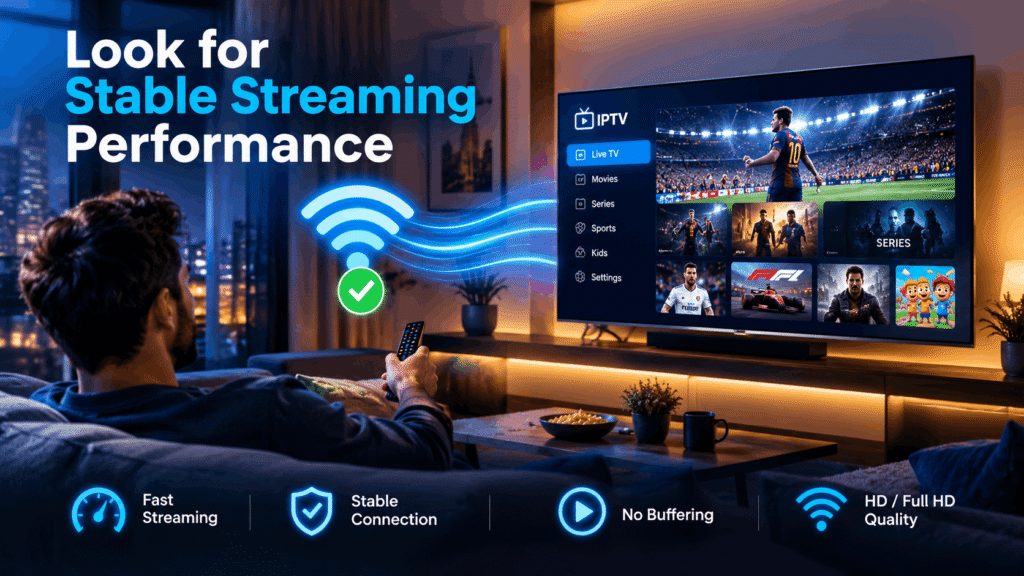
Nobody wants to watch a major sporting event only to see the screen freeze at the crucial moment.
For 4K IPTV, stability is particularly important because Ultra HD streams require more bandwidth and data processing than lower-resolution content.
A reliable provider should have infrastructure capable of handling large numbers of simultaneous viewers.
Important factors include:
- Stable streaming servers
- Adequate server capacity
- Reliable content delivery
- Fast channel switching
- Consistent playback
When comparing the best 4K streaming IPTV UK services, stability should be considered alongside picture quality rather than treated as a separate issue.
A technically impressive 4K stream has little value if it constantly buffers.
3. Make Sure Your Internet Connection Is Ready
Your IPTV subscription cannot compensate for an unstable internet connection.
Although the exact requirements vary depending on compression and stream quality, a 4K stream generally needs considerably more bandwidth than HD.
As a practical guide:
| Streaming Quality | Approximate Recommended Speed |
|---|---|
| HD | 10 Mbps+ |
| Full HD | 15–25 Mbps |
| 4K | 25–50 Mbps+ |
These figures are guidelines rather than strict requirements.
If several people are using the same connection for gaming, video calls, downloads, or streaming, you may need considerably more available bandwidth.
For the best 4K streaming IPTV UK experience, fibre broadband and a modern router can make a significant difference.
4. Consider Ethernet Instead of Wi-Fi
Wi-Fi is convenient, but convenience does not always mean maximum stability.
If your television or streaming box is close enough to the router, an Ethernet connection can provide a more consistent connection than wireless networking.
This can be particularly useful when:
- Streaming 4K sports
- Watching long movies
- Several devices are online
- Your Wi-Fi signal is weak
- The router is located far from the TV
If Ethernet is not practical, use a modern dual-band or tri-band Wi-Fi router and place it in an open location with minimal interference.
5. Check Device Compatibility
A good IPTV service should work with the devices you actually use.
Before subscribing, verify compatibility with your preferred platform.
Common options include:
- Samsung Smart TVs
- LG Smart TVs
- Android TV
- Google TV
- Fire TV
- Android smartphones
- Tablets
- Windows computers
Device compatibility is especially important for 4K because not every IPTV application or older streaming device can handle Ultra HD efficiently.
The best 4K streaming IPTV UK setup is therefore a combination of a capable provider and hardware that can actually process the stream.
Don’t Ignore Your IPTV Player
The player itself can affect the experience.
Useful features include:
- Electronic Program Guide (EPG)
- Favourite channels
- Fast channel switching
- Multiple playlist support
- External player support
- Catch-up functionality
- Parental controls
A clean interface is also valuable. If navigating hundreds or thousands of channels feels difficult, even excellent streaming quality can become frustrating.
6. Test the Service Before Making a Long Commitment
If a provider offers a trial, use it.
A trial gives you an opportunity to test the service under real conditions rather than relying entirely on advertising claims.
During the test, check:
Picture quality: Does the image actually look sharp on your TV?
Stability: Does playback remain consistent?
Channel switching: How quickly do channels load?
Sports performance: Do fast-moving scenes remain smooth?
Peak hours: Does performance remain acceptable when more people are likely to be watching?
Testing at different times can reveal problems that are not obvious during a short daytime session.
This is one of the most practical ways to evaluate a potential best 4K streaming IPTV UK subscription before paying for a longer plan.
7. Don’t Choose a Provider Based Only on Channel Numbers
A provider advertising 20,000 or more channels may sound impressive, but the number itself tells you very little about actual quality.
Ask more useful questions:
- How many channels are genuinely available?
- How many are available in HD or 4K?
- Are channels organised properly?
- Is the EPG accurate?
- How quickly do channels load?
- Are streams stable?
- Is customer support available?
A smaller, well-organised service can provide a better user experience than a huge catalogue filled with unreliable or duplicated channels.
Quality should always be evaluated alongside quantity.
8. Look at Customer Support and Setup Assistance
Even experienced users can encounter technical problems.
You may need help with:
- Playlist installation
- IPTV player configuration
- Device activation
- EPG setup
- Login problems
- Playback troubleshooting
Responsive support can make the setup process much easier.
When evaluating the best 4K streaming IPTV UK providers, consider whether support is available and whether the provider explains setup instructions clearly.
Avoid services that provide little information about how customers can get assistance when something goes wrong.
9. Consider Overall Value Rather Than the Cheapest Price
Price matters, but it should not be the only deciding factor.
A very inexpensive subscription may appear attractive initially, but frequent buffering, poor support, or limited 4K content can make it frustrating in practice.
Instead, compare the overall package:
- Streaming quality
- 4K availability
- Device compatibility
- Stability
- Support
- EPG quality
- Trial availability
- Subscription flexibility
The best 4K streaming IPTV UK choice for one household may not be identical to the right option for another. Your internet connection, television, viewing habits, and preferred devices all matter.
Common Problems That Can Affect 4K IPTV
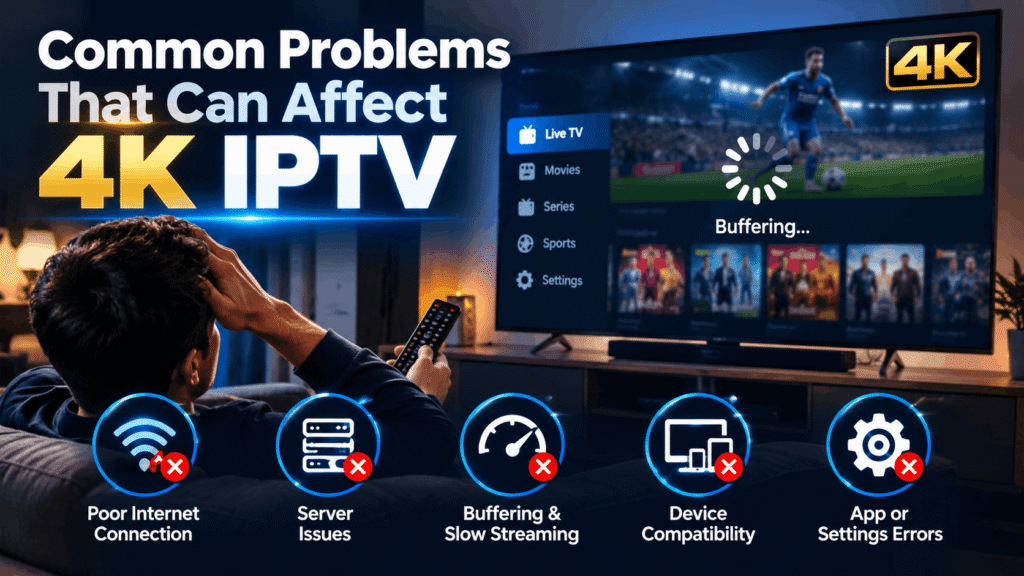
Even a good IPTV service can experience issues if the home setup is not properly configured.
Buffering
Usually associated with insufficient bandwidth, network congestion, Wi-Fi problems, or server-side issues.
Low Picture Quality
Possible causes include the stream itself, automatic quality adjustment, device limitations, or insufficient bandwidth.
Delayed Channel Loading
This can be caused by the IPTV application, server response time, or network conditions.
Freezing During Sports
Fast-moving content places greater demands on streaming performance. Network instability becomes especially obvious during live sports.
Audio and Video Synchronisation
This can sometimes be related to the IPTV player, device processing, or the individual stream.
Identifying the source of the problem before changing providers can save time and money.
How to Improve Your 4K IPTV Setup
A few simple adjustments can significantly improve streaming performance.
Use a Wired Connection
If possible, connect your streaming device directly to the router.
Close Unnecessary Applications
Other applications consuming bandwidth can affect streaming.
Restart Your Router
A simple restart can occasionally resolve temporary connectivity issues.
Keep Your Device Updated
Install available system and application updates to maintain compatibility.
Choose the Correct Video Quality
If your connection cannot consistently handle 4K, switching temporarily to Full HD may provide a smoother experience.
The goal is not simply maximum resolution. It is stable, enjoyable playback.
Is 4K IPTV Worth It?
For viewers with a compatible television and a strong broadband connection, 4K can provide a noticeable improvement.
The difference is particularly obvious on larger screens where additional detail is easier to see.
4K can be especially appealing for:
- Live sports
- Movies
- Nature documentaries
- High-quality entertainment
- Large-screen home cinema setups
However, not every piece of content needs to be streamed in 4K. If the original source is only HD, increasing the output resolution does not magically create genuine Ultra HD detail.
What Should You Check Before Subscribing?
Before choosing an IPTV subscription, use this simple checklist:
- Does it offer genuine 4K content?
- Is the service stable during peak hours?
- Does your internet connection support UHD streaming?
- Is your device compatible?
- Does the IPTV player work properly?
- Is a trial available?
- Can you contact customer support?
- Are the subscription terms clear?
- Does the overall package match your viewing needs?
Working through these questions makes it easier to distinguish marketing claims from the features that actually matter.
FAQ
What internet speed is recommended for 4K IPTV?
A connection of around 25 Mbps or more is commonly recommended for a single 4K stream, although higher speeds provide more headroom, especially when other devices are using the network.
Can I watch 4K IPTV on a Smart TV?
Yes, provided your television supports 4K resolution and the IPTV application or player is compatible with the TV’s operating system.
Is Ethernet better than Wi-Fi for 4K IPTV?
Ethernet generally provides a more consistent connection and can be useful when streaming high-bitrate 4K content. A strong modern Wi-Fi connection can also work well.
Why does my 4K IPTV stream keep buffering?
Possible causes include insufficient internet speed, Wi-Fi interference, network congestion, device limitations, or problems with the streaming server.
Does having a 4K TV guarantee 4K IPTV quality?
No. The provider must actually supply 4K content, and your internet connection, device, application, and network setup must all be capable of handling it.
Conclusion
Choosing a 4K IPTV service should never come down to a channel count or an attractive price alone. Picture quality, stability, internet requirements, device compatibility, support, and genuine UHD availability all contribute to the overall experience.
The best 4K streaming IPTV UK solution is ultimately one that works reliably with your own setup and provides the type of content you actually watch.
Before committing to a long subscription, test the service where possible, check your broadband performance, and make sure your television and IPTV player are ready for 4K streaming.
For viewers who want a modern entertainment setup, investing time in choosing a secure and stable IPTV solution can make everyday streaming considerably smoother.