
Finding the best working IPTV player UK users can rely on is not simply about choosing the app with the most features. A player can look impressive on paper but still deliver a frustrating experience if it freezes, struggles with playlists, has poor EPG support, or feels awkward to use on a television.
The good news is that finding the best working iptv player uk becomes much easier once you know what actually matters. Whether you watch live TV on an Android TV box, Smart TV, Fire TV device, phone, tablet, or computer, the right player should make your content easy to organise and comfortable to watch.
This guide explains the key features to consider, how IPTV players work, which devices they support, and how to set one up properly.
What Is an IPTV Player?
An IPTV player is an application that lets you access television and video content supplied through an IPTV service. The player itself is generally the interface used to load and organise your content rather than the source of the channels.
Depending on the application, you may be able to add:
- M3U playlists
- Xtream Codes API details
- Electronic Programme Guides (EPG)
- Live TV categories
- Movies and series
- Catch-up content
- Favourite channels
- Multiple playlists
This distinction is important. An IPTV player and an IPTV subscription are not necessarily the same thing.
The player is the software, while the IPTV provider supplies the content or playlist you are authorised to access.
What Makes the Best Working IPTV Player UK?
There isn’t one application that is perfect for every viewer, which is why finding the best working IPTV player UK matters so much. The best choice depends on your device, playlist format, interface preferences, and the features you actually need.
However, a reliable IPTV player should normally provide several important characteristics.
1. Stable Playback
Nobody wants to spend more time restarting an application than watching television.
A good player should handle normal streaming efficiently and switch between channels without unnecessary delays. Keep in mind that playback quality also depends heavily on your internet connection, device performance, server capacity, and the stream itself.
A player cannot fix an unstable source.
2. Simple Navigation
A beautiful interface is useful only if you can actually find what you want.
For TV users, look for:
- Clear categories
- Fast channel searching
- Favourites
- Recently watched channels
- Easy programme-guide navigation
- A responsive remote-control interface
This becomes particularly important on a television because navigating a complicated interface with a remote is much slower than using a mouse or touchscreen.
3. EPG Support
An Electronic Programme Guide, commonly called an EPG, displays programme information alongside channels.
Instead of seeing only a channel name, you may see information such as:
20:00 — Football Match
22:00 — Sports Highlights
EPG support can make an IPTV service feel much closer to a traditional television platform.
However, the quality and accuracy of the guide depend on the EPG data supplied with the service.
4. Playlist Compatibility
Before installing an IPTV player, check which playlist formats it supports.
Common options include:
- M3U/M3U8
- Xtream Codes API
- Portal-based systems on certain applications
If your provider gives you Xtream Codes credentials, for example, using a player that supports that login method can make setup considerably easier.
Best IPTV Player Features to Compare
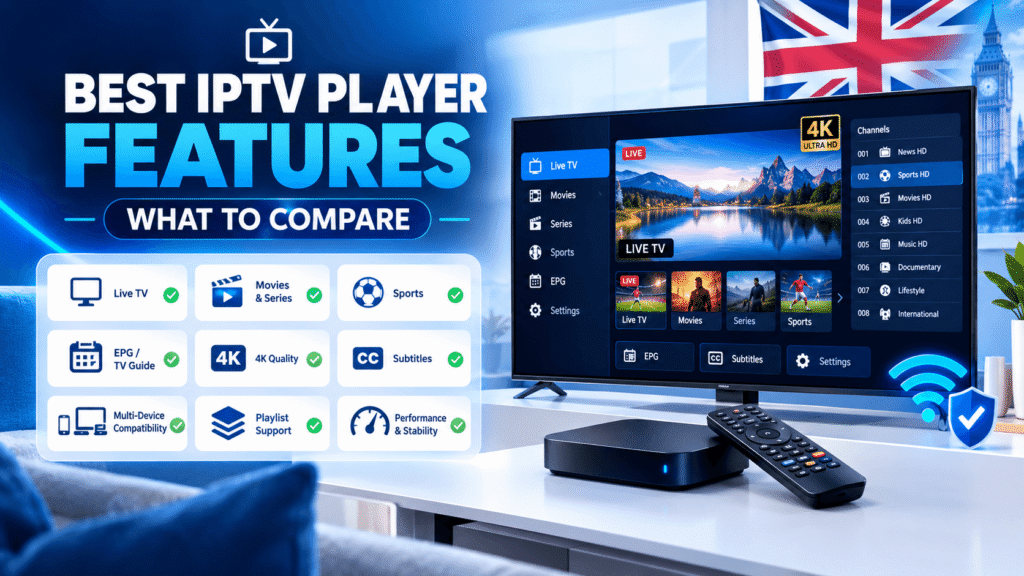
When comparing different applications, don’t focus solely on the number of features listed on their websites.
Instead, consider how those features affect everyday viewing.
| Feature | Why It Matters |
|---|---|
| M3U support | Useful for playlist-based services |
| Xtream Codes support | Makes account setup easier with compatible providers |
| EPG | Provides programme information |
| Favourites | Quickly access frequently watched channels |
| Search | Saves time with large channel lists |
| Multiple playlists | Useful if you use more than one source |
| Catch-up support | Allows access to supported previous programmes |
| Parental controls | Helpful for managing access to content |
| Subtitle support | Useful for compatible video streams |
| Multi-device support | Convenient if you watch on different screens |
A player doesn’t need every feature available. The right combination of stability, usability and compatibility is usually more valuable than a huge feature list.
IPTV Players for Different Devices
Your device should be one of the first things you consider.
Android TV and Google TV
Android TV devices are popular for IPTV because they support a wide range of streaming applications.
A good TV-focused player should have:
- Remote-friendly navigation
- Fast channel switching
- Playlist support
- EPG integration
- Favourite channels
- Good performance on your particular hardware
If you’re using an Android TV box, make sure the application is compatible with your Android version and that your device has enough available storage.
Amazon Fire TV
Fire TV devices are also widely used for streaming.
When choosing the best working IPTV player UK for Fire TV, prioritise applications that are designed for remote navigation. A player that works perfectly on a smartphone may feel frustrating on a television.
Also check whether the application is available through the official Amazon app ecosystem or requires another installation method.
Smart TVs
Compatibility varies considerably between television brands and operating systems.
Samsung and LG televisions, for example, use their own app ecosystems, while many newer TVs use Google TV or Android TV.
Before choosing a player, check:
- Your TV operating system.
- The app’s supported platforms.
- Whether your playlist format is supported.
- Whether the application is still actively maintained.
Smartphones and Tablets
Mobile users have more flexibility because touch controls make navigation easier.
Look for:
- Portrait and landscape support
- Fast searching
- Good video controls
- Subtitle support
- Picture-in-picture where available
- Low battery and data consumption
If you regularly watch IPTV away from Wi-Fi, remember that HD and especially 4K streams can consume significant amounts of mobile data.
How to Set Up an IPTV Player
Once you’ve chosen a compatible application, the basic setup is usually straightforward.
Step 1: Install the Player
Download the application through a legitimate app store or the developer’s official distribution method.
Avoid random APK websites whenever possible. Unofficial downloads can expose your device to modified or malicious software.
Step 2: Choose Your Login Method
Depending on the application, you might be asked for:
- M3U playlist URL
- Xtream Codes username
- Xtream Codes password
- Server URL
- EPG URL
Use the information supplied by your authorised IPTV service.
Step 3: Add Your Playlist
Enter the required details carefully.
A single incorrect character in a server address, username, or password can prevent the playlist from loading.
If the player supports QR codes or account synchronisation, that can make the process easier on a TV.
Step 4: Allow the Playlist to Load
Large playlists can take a little time to process.
Once loaded, you should normally see categories such as:
- Live TV
- Sports
- News
- Entertainment
- Movies
- Series
The exact categories depend on the service providing your playlist.
Step 5: Configure the EPG
If your service supplies an EPG URL, add it through the player’s programme-guide settings.
Give the guide time to update. Large channel lists can take longer to process than smaller ones.
How to Reduce IPTV Buffering
Even the best working IPTV player UK users can find won’t eliminate buffering caused by an overloaded server or poor internet connection.
Still, there are several things you can check.
Check Your Internet Connection
For HD streaming, a stable broadband connection is generally more important than simply having a high advertised download speed.
If possible:
- Use Ethernet for a TV box.
- Move your Wi-Fi router closer to the device.
- Prefer a 5 GHz Wi-Fi network when appropriate.
- Reduce heavy downloads while streaming.
- Restart your router if your connection becomes unstable.
Test Another Stream
If one channel buffers while others work normally, the problem may be related to that particular stream rather than your player.
Try another channel.
If everything buffers, investigate your network or service connection instead.
Keep Your Device Updated
Older firmware and outdated applications can sometimes cause compatibility or performance problems.
Keep your:
- TV software
- Streaming device
- IPTV application
reasonably up to date.
Is IPTV Player Quality More Important Than Internet Speed?
Both matter, but they solve different problems.
Think of streaming as a chain:
Internet connection → IPTV source → player → device → television
If one part performs poorly, the viewing experience can suffer.
For example, a powerful streaming box cannot compensate for an unreliable stream source, which is why having the best working iptv player uk is so essential. Likewise, an excellent IPTV service may still struggle on an old device with limited memory.
This is why choosing the player should be part of a wider setup rather than treated as the only factor affecting streaming quality.
Security Tips When Using IPTV Players
Security is easy to overlook when you’re focused on finding a player that works.
A few simple precautions can make your setup safer.
Use Official Sources
Download applications from recognised app stores or official developer websites whenever possible.
Avoid suspicious websites offering modified versions with claims such as:
- “Premium unlocked”
- “No ads cracked”
- “Unlimited version”
- “Free lifetime activation”
These downloads may carry security risks.
Don’t Share Your IPTV Credentials
Your playlist URL or account credentials may provide access to your service.
Don’t post them publicly or send screenshots containing your username, password, or playlist URL.
Use Legal and Authorised Content
IPTV technology itself is simply a method of delivering video over the internet, much like finding the best working iptv player uk to ensure smooth playback. What matters is whether the content being accessed is authorised.
Use IPTV services and playlists that you have the right to access.
Common Mistakes When Choosing an IPTV Player
Many users make the same mistakes when setting up IPTV.
Choosing Based Only on Appearance
A modern interface is nice, but it doesn’t guarantee reliable playback.
Ignoring Device Compatibility
A player designed primarily for mobile devices may not offer a good experience on a TV.
Assuming the Player Controls Stream Quality
The player displays the stream, but it doesn’t magically improve a poor source.
Installing Unofficial Versions
Modified applications can introduce unnecessary security risks.
Using Weak Wi-Fi
If your TV box is located far from the router, Wi-Fi stability can become a major factor.
Frequently Asked Questions
What is the best working IPTV player UK users can choose?
Finding the best working iptv player uk depends on your device, playlist format and preferred features. Look for a player that supports your IPTV credentials, offers reliable navigation, EPG functionality and works properly on your specific device.
Do IPTV players provide channels themselves?
Usually, no. An IPTV player is generally software for organising and playing compatible streams. You normally need an authorised IPTV service or playlist separately.
Can I use an IPTV player on a Smart TV?
Yes, provided the application supports your television’s operating system. Compatibility differs between Samsung, LG, Android TV, Google TV and other platforms.
Why does IPTV keep buffering?
Buffering can result from several factors, including an unstable internet connection, Wi-Fi interference, device limitations, or problems with the particular stream or service. Testing another channel can help identify the source of the problem.
Do I need a VPN for IPTV?
A VPN is not inherently required simply to use an IPTV player. Whether you use one depends on your privacy preferences, network configuration and local laws. A VPN also cannot fix an overloaded streaming server.
Can I use the same IPTV player on multiple devices?
That depends on the application’s licensing terms and the service providing your content. Some players support multiple devices, while certain services may restrict simultaneous connections.
Final Thoughts
Choosing the best working IPTV player UK option is really about finding the right balance between compatibility, stability and ease of use.
Start with your device. Then check the playlist format you have, whether you need an EPG, and which features you will actually use. A clean interface, responsive navigation and dependable playlist support can make a much bigger difference than a long list of unnecessary extras.
Most importantly, remember that the player is only one part of the setup. A reliable internet connection, compatible device and authorised content source all contribute to a smoother viewing experience.
If you’re setting up IPTV for your home, focus on a secure, stable configuration rather than simply choosing the application with the longest feature list.
Looking for a Reliable IPTV UK Service?
Ready to upgrade your streaming experience? Explore our IPTV UK service for a stable, easy-to-use solution with live TV, sports, movies and more. [Discover our IPTV UK plans] and choose the option that suits your needs.