
Finding an official UK IPTV subscription should be about more than getting access to thousands of channels at an attractive price. You also need to know whether the service has the right to distribute its content, whether it works reliably on your devices, and whether the advertised picture quality matches what you actually receive.
With so many streaming services competing for attention, choosing the right provider can feel confusing. Some advertise huge channel libraries and inexpensive packages, while others focus on premium sports, films, and live television. However, an impressive offer does not automatically mean a service is trustworthy.
The smartest approach is to look beyond the sales pitch.
Whether you want to watch live television, follow your favourite sports, or enjoy films on your Smart TV, understanding what makes an IPTV service legitimate can help you make a more informed decision.
Here are nine essential things to check before choosing an official UK IPTV subscription.
What Is an Official UK IPTV Subscription?
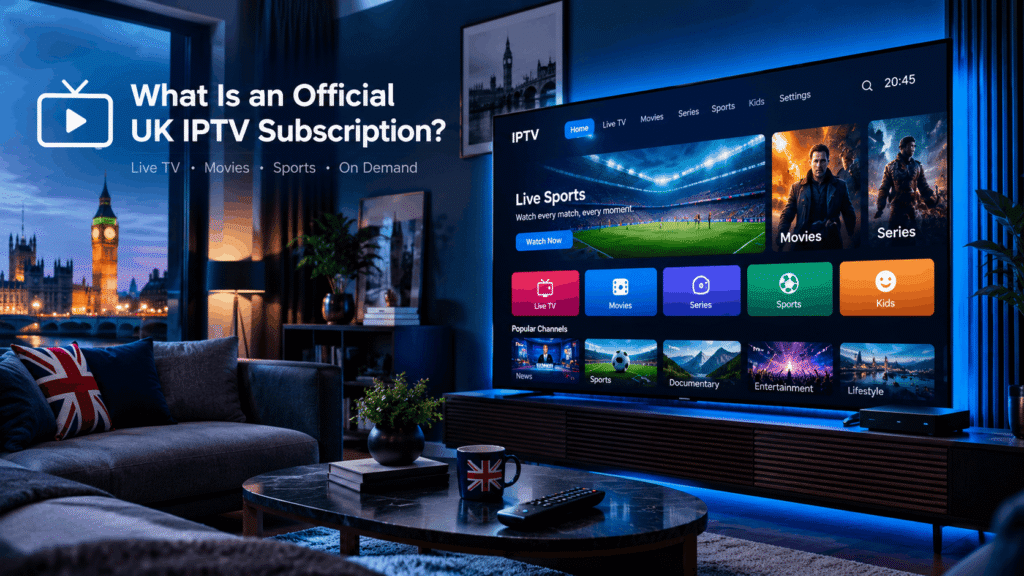
IPTV stands for Internet Protocol Television. It refers to television content delivered through an internet connection rather than traditional terrestrial, satellite, or cable broadcasting.
An official UK IPTV subscription provides access to television programming through a service that has the necessary rights or permissions to distribute the content it offers.
IPTV itself is a legitimate technology. Broadcasters, telecommunications companies, and established streaming platforms use internet-based delivery to bring programmes to viewers.
The important distinction is whether the provider is authorised to offer the specific channels, films, and sporting events included in its service.
For example, a legitimate streaming platform may offer live television, catch-up programmes, and on-demand entertainment under the appropriate licensing arrangements. Another service might advertise the same premium channels without demonstrating that it has permission to distribute them.
That difference matters.
Before paying for any subscription, investigate the provider, review its terms, and make sure you understand exactly what you are purchasing.
1. Check Whether the Provider Has the Necessary Content Rights
The first thing to investigate is content licensing.
A provider offering an official UK IPTV subscription might advertise access to popular UK entertainment channels, international television, premium sports, and recently released films. However, the number of channels tells you very little about whether the service is authorised to distribute them.
Content rights can vary by programme, broadcaster, territory, and distribution method. A service may be authorised to stream certain channels but not others.
Before subscribing, look for evidence that the provider has permission to offer its advertised content.
What should you look for?
- Licensing information: Does the provider explain its relationship with broadcasters or content owners?
- Company details: Is the business identifiable, with clear contact information?
- Official partnerships: Are claimed partnerships confirmed by the relevant broadcaster or rights holder?
- Terms of service: Do the terms explain what the subscription includes and any geographical restrictions?
- Content availability: Are the advertised channels and programmes consistent with the provider’s stated rights?
Be cautious if a service promises every premium sports channel, the latest films, and thousands of international channels for an unusually low monthly fee without explaining how it obtains distribution rights.
A large content library is not proof of legitimacy.
2. Verify the Company’s Identity and Reputation
A professional-looking website is a useful starting point, but it is not enough to establish whether a provider is trustworthy.
Before purchasing an official UK IPTV subscription, find out who operates the service and whether the business provides enough information for customers to make an informed decision.
A reliable provider should make it reasonably easy to identify the company behind the subscription.
Check these details
- Business identity: Look for a company name and relevant registration details where applicable.
- Contact information: Check whether the provider offers a genuine customer support channel.
- Website transparency: Review the company’s terms, privacy policy, and refund conditions.
- Customer feedback: Search for independent reviews rather than relying exclusively on testimonials published on the provider’s website.
- Complaint history: Look for recurring reports about billing problems, inaccessible accounts, or unresponsive support.
Pay attention to the quality of customer feedback, not simply the overall rating.
For instance, several detailed reviews describing consistent service over time are generally more informative than dozens of short comments repeating the same promotional language.
Also, remember that a company registration does not automatically prove that its IPTV content is properly licensed. Business legitimacy and content authorisation are separate issues.
3. Compare Streaming Quality and Reliability
Once you have established that a provider is authorised to distribute its content, consider how well the service performs.
Streaming quality can make a noticeable difference, particularly when watching live sports, films, or programmes on a large television.
However, advertised resolutions do not tell the whole story.
A service may promote HD, Full HD, or 4K streaming, but the experience also depends on the source quality, your internet connection, device capabilities, and the provider’s delivery infrastructure.
Understand the different resolutions
| Resolution | Typical viewing benefit |
|---|---|
| HD (720p) | Suitable for many everyday viewing situations |
| Full HD (1080p) | Sharper images on most modern televisions |
| 4K (2160p) | Greater detail on compatible 4K displays |
These are general resolution categories, not guarantees of picture quality.
A well-produced Full HD broadcast may look better than a poorly encoded 4K stream. Bitrate, compression, frame rate, and the quality of the original broadcast all influence the result.
If a free trial is available, use it to evaluate the actual viewing experience.
Check for:
- Consistent picture quality.
- Smooth playback during longer viewing sessions.
- Audio that stays synchronised with the picture.
- Reasonable channel-loading times.
- Stable playback during busy viewing periods.
A dependable service should deliver a consistent experience rather than relying entirely on impressive specifications.
4. Make Sure It Supports Your Devices
An IPTV service is only useful if you can watch it comfortably on your preferred devices.
Some platforms operate through dedicated applications, while others support web browsers, streaming devices, or compatible television software.
Before purchasing an official UK IPTV subscription, confirm that the service works with your existing equipment.
Common compatible devices
Depending on the provider, IPTV may be available through:
- Samsung Smart TVs.
- LG Smart TVs.
- Android TV and Google TV devices.
- Amazon Fire TV devices.
- Apple TV.
- Compatible smartphones and tablets.
- Computers and supported web browsers.
Do not assume that compatibility with one device guarantees compatibility with another.
For example, an application available on Android TV may not be available directly through the Samsung or LG television app store.
You should also check whether the provider requires a separate IPTV player, a particular operating system version, or additional equipment.
If you intend to watch on multiple screens, review the simultaneous-streaming rules before subscribing.
Some services restrict the number of devices that can stream at the same time, even when the account can be installed on several devices.
5. Evaluate the Channel Selection Carefully
A long channel list can look impressive, but the most useful service is the one that provides the programming you actually want to watch.
Start by making a shortlist of your preferred channels and categories.
For UK viewers, these might include:
- National and regional television.
- News and current affairs.
- Entertainment and documentaries.
- Children’s programming.
- International channels.
- Sports and specialist programming.
Then compare that list with the provider’s advertised catalogue.
When choosing an official UK IPTV subscription, pay particular attention to regional availability. A channel available through a service in one country may not be available to subscribers elsewhere because of broadcasting restrictions.
Check live television and on-demand content separately
Some services offer live channels alongside films, television series, and catch-up programming.
These are different features, so do not assume that a large live-channel selection means the on-demand library will be equally extensive.
If on-demand viewing is important to you, check:
- Whether the content catalogue is clearly documented.
- How frequently the library is updated.
- Whether programmes are available in your region.
- Whether subtitles and alternative audio tracks are supported.
- Whether catch-up television is included.
An accurate, relevant catalogue is more valuable than a headline figure that does not reflect the content you can legally access.
6. Review Pricing, Renewal Terms, and Refund Policies
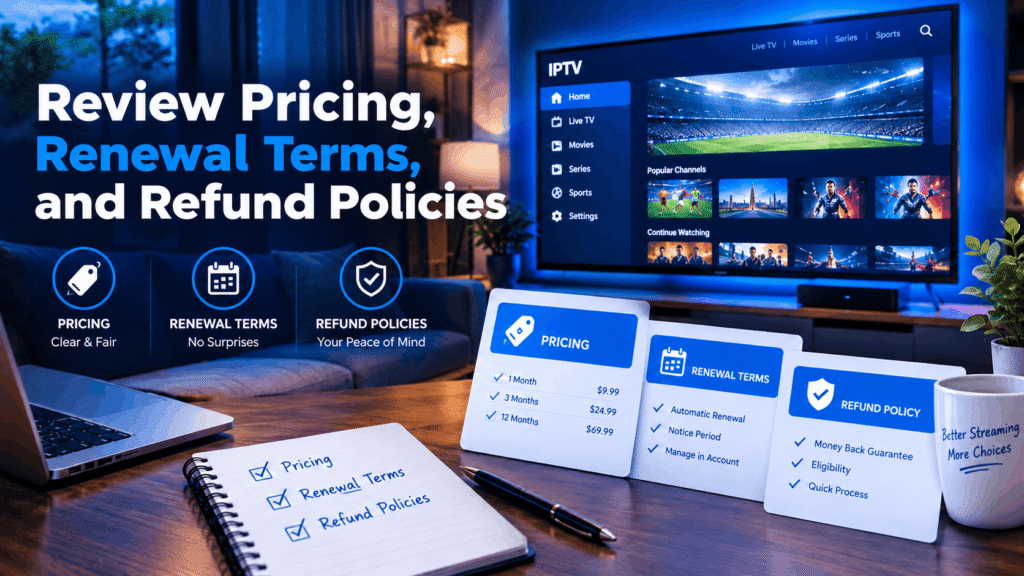
Price matters, but the cheapest subscription is not necessarily the best value.
When comparing an official UK IPTV subscription with other services, calculate the total cost over the period you expect to use it.
A monthly package may be more expensive per month than an annual plan, but it offers greater flexibility if you decide to cancel.
An annual subscription may reduce the monthly equivalent cost, although paying upfront carries more risk if you have not tested the service.
Questions to ask before paying
- Is the advertised price introductory or ongoing?
- Does the subscription renew automatically?
- Can you cancel at any time?
- Are there additional activation or equipment fees?
- Is a refund available if the service does not work as described?
- Are payment terms and renewal dates clearly explained?
For example, imagine two providers offer similar programming.
Provider A charges a lower annual fee but has unclear cancellation conditions. Provider B costs slightly more but offers transparent billing and a clearly documented cancellation process.
The second option may provide better overall value because you understand your financial commitment.
Always read the renewal and refund terms before entering your payment details.
7. Check the Electronic Programme Guide and On-Demand Features
A good IPTV experience involves more than accessing a list of channels.
Navigation features can make everyday viewing easier, especially when you regularly switch between live television, sports, and recorded or on-demand programmes.
One feature worth checking is the Electronic Programme Guide (EPG).
An EPG displays programme schedules, helping you see what is currently airing and what is coming next.
Depending on the service, it may include programme descriptions, start times, and information about upcoming broadcasts.
Other useful features include:
- Search by programme or channel.
- Favourites and personalised channel lists.
- Catch-up television.
- Subtitles and audio-language options.
- Parental controls.
- Recently watched programmes.
- Clear categories for films and television series.
Check whether these features are included in your subscription or require a separate application.
An intuitive interface can make a significant difference when using IPTV every day. A large catalogue is less useful if finding a particular programme takes several minutes.
8. Examine Privacy and Payment Security
Streaming services may collect personal information when you create an account, contact customer support, or make a payment.
Before subscribing, review how the provider handles that information.
A privacy policy should explain what data is collected, why it is needed, how long it is retained, and whether it is shared with third parties.
Look for clear information about:
- Account details and contact information.
- Payment processing.
- Cookies and website analytics.
- Data retention and deletion.
- Customer support communications.
- Third-party service providers.
Check that the payment process uses an appropriate secure connection and that the payment recipient is consistent with the business you intended to purchase from.
Be cautious if a provider asks for unnecessary personal information or pressures you to send money through an unusual payment method.
You should also avoid sharing passwords between services or reusing the password associated with your email account.
For additional protection, use a unique password and enable multi-factor authentication if the provider supports it.
Privacy and payment security do not establish whether content is licensed, but they are important parts of choosing a trustworthy service.
9. Test Customer Support Before Committing
Customer support often becomes important only when something goes wrong.
An application might stop working after an update, a payment might fail, or you may need help configuring a compatible device.
A trustworthy provider should explain how customers can request assistance and what level of support is included.
Before subscribing, check whether the company offers email support, live chat, a help centre, or another clearly identified contact method.
If a trial is available, ask a straightforward question before purchasing.
For example, you could ask whether the service supports your television model or how cancellation works.
The response can tell you something about the company’s communication standards.
Look for support that is:
- Accessible: Contact details are easy to find.
- Clear: Answers address the question directly.
- Professional: Staff communicate respectfully.
- Consistent: Information matches the published terms.
- Practical: Troubleshooting guidance is relevant to your device.
Be wary of exaggerated promises such as guaranteed instant responses if the provider does not explain its support arrangements.
Good customer service cannot compensate for missing content rights, but it can make a legitimate subscription much easier to use.
Official UK IPTV Subscription vs Unauthorised IPTV Services
Understanding the difference between authorised and unauthorised services is essential when comparing subscriptions.
The distinction is not simply about whether a service uses an IPTV application or charges a monthly fee. It concerns the provider’s rights to distribute the content.
| Factor | Authorised IPTV service | Unauthorised IPTV service |
|---|---|---|
| Content rights | Has the required distribution permissions | May distribute content without permission |
| Transparency | Provides clear information about its service | May provide limited or misleading details |
| Content availability | Subject to applicable licensing terms | May advertise content without valid rights |
| Customer protection | Depends on the provider and applicable rules | May involve additional consumer risks |
| Reliability | Depends on infrastructure and service quality | Access may be disrupted or withdrawn |
These are general distinctions rather than guarantees about every provider.
An authorised service can still experience technical problems, while an unauthorised service may appear professionally managed. Appearance alone does not establish legality.
In the UK, Ofcom provides information about television broadcasting and regulation. Its resources can help consumers understand the wider broadcasting environment.
You can visit the official Ofcom website for further information.
When assessing a particular service, check the relevant broadcaster’s official website or contact the rights holder if you cannot verify a licensing claim.
How to Choose the Right IPTV Subscription for Your Needs
After reviewing the nine factors, narrow your options according to how you intend to watch television.
If you mainly watch live television, prioritise channel availability, regional access, and reliable playback.
If you watch on a 4K Smart TV, check device compatibility, supported resolution, and actual streaming quality.
If you frequently travel, review geographical restrictions and the service’s terms regarding access outside the UK.
If you are comparing several official UK IPTV subscription options, use a simple checklist:
- The provider’s identity is clear.
- Content distribution rights can be verified.
- Your preferred channels are available.
- Your devices are supported.
- Streaming quality meets your expectations.
- Pricing and renewal conditions are transparent.
- Privacy and payment information are explained.
- Customer support is accessible.
- The cancellation and refund policies are clear.
A provider that satisfies these checks is easier to assess than one that relies on bold marketing claims.
Frequently Asked Questions
1. Is IPTV legal in the UK?
IPTV technology is legal in the UK. The important question is whether a particular provider offering an official UK IPTV subscription has the necessary rights to distribute the television channels and other content it offers. Using an IPTV service does not automatically make it legal or illegal; the service’s content licensing and distribution arrangements matter.
2. How can I identify an official UK IPTV subscription?
Check the provider’s identity, published terms, licensing information, and claimed relationships with broadcasters. Verify important claims through the relevant rights holders where possible. A professional website, large channel list, or low price is not sufficient proof of authorisation.
3. Is a free IPTV trial worth using?
Yes, a trial can help you evaluate picture quality, device compatibility, navigation, and playback stability before committing financially. However, a trial does not prove that a provider has the necessary content rights. Check the service’s legitimacy separately.
4. Does IPTV require a Smart TV?
No. Depending on the service, IPTV may work on compatible Smart TVs, streaming devices, smartphones, tablets, and computers. Check the provider’s supported-device list and any application requirements before subscribing.
5. What internet speed do I need for IPTV?
The required speed for an official UK IPTV subscription depends on the streaming resolution, compression, device, and number of simultaneous streams. As a general starting point, many HD services recommend around 5–10 Mbps per stream, while 4K streaming often benefits from 25 Mbps or more. Check the provider’s recommendations and allow additional bandwidth for other household devices.
6. Is the cheapest IPTV subscription the best option?
Not necessarily. A low price does not guarantee reliable playback, good customer support, transparent billing, or properly licensed content. Compare the total cost, service quality, cancellation terms, and content rights before deciding.
7. Can I watch UK IPTV while travelling abroad?
That depends on the provider’s licensing agreements, geographical restrictions, and subscription terms. Some services restrict access to particular countries or regions. Check the rules before travelling rather than assuming your UK subscription will work everywhere.
Conclusion: Choose an IPTV Service You Can Trust
Choosing an official UK IPTV subscription requires more than comparing channel counts or searching for the lowest monthly price.
Start by verifying content rights and the provider’s identity. Then assess streaming quality, device compatibility, channel selection, pricing, privacy, and customer support.
If a trial is available, use it to test the practical viewing experience. Read the terms before paying, and avoid providers that make unrealistic promises or cannot explain where their content comes from.
The best subscription is one that combines authorised content, dependable performance, transparent pricing, and a viewing experience that suits your needs.
If you are exploring streaming options, visit Streamora IPTV to learn more about the service and its available packages. Compare the features, check device compatibility, and review the applicable terms before making your decision.
A little research before subscribing can help you avoid unnecessary costs and enjoy a more reliable, informed streaming experience.