
Missing the winning goal because your stream freezes at the worst possible moment is frustrating. Finding a UK Premier League IPTV subscription that delivers consistent quality, works on your preferred device, and comes with useful support can make a huge difference when watching live football.
There are plenty of services competing for attention, and many advertise huge channel lists, HD or 4K quality, and attractive prices. But those numbers alone do not tell you whether a service will actually perform well during a busy matchday.
Before subscribing, it is worth looking beyond the sales page. Check the streaming quality, device compatibility, reliability, support, payment security, terms, and—most importantly—whether the provider has the necessary rights to offer the content in your location.
Here are 11 practical things to check before choosing a service.
1. Check Which Premier League Content Is Actually Included
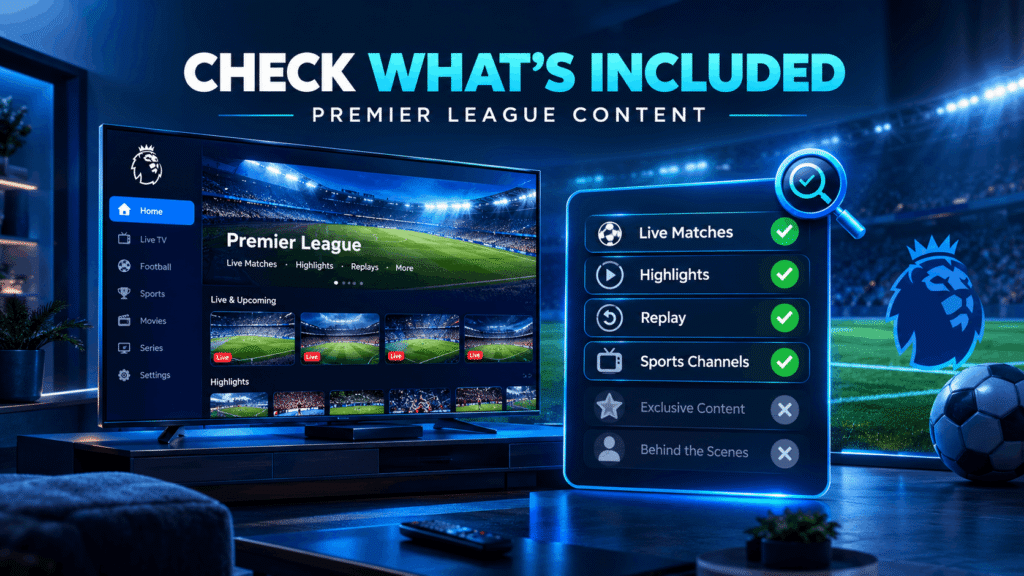
A long channel list does not automatically mean you will get the football coverage you expect.
Before paying for a UK Premier League IPTV subscription, look carefully at the channels and sports content included in the package. Some providers may advertise thousands of channels but give little detail about individual sports networks.
A good service should make its content offering easy to understand.
Check for:
- Premier League-related sports channels
- Live sports coverage
- Football-focused channels
- HD and FHD options
- 4K availability where supported
- Electronic Programme Guide (EPG) information
- VOD or catch-up options, if offered
Do not judge a service solely by its total channel count. A smaller, clearly organised lineup can be more useful than a massive list filled with channels you will never watch.
Also verify that the provider is legally authorised to distribute the content you want to watch. IPTV is simply a technology for delivering television over an internet connection; the legality depends on the content and the rights behind its distribution.
2. Test Streaming Quality Before Committing
Picture quality becomes especially noticeable during live football.
Fast camera movement, crowded stadiums, small text on scoreboards, and quick changes between bright and dark scenes can expose poor streaming quality very quickly.
When evaluating a UK Premier League IPTV subscription, look for clear information about supported resolutions.
Typical options may include:
- SD for basic viewing
- HD for standard high-quality streaming
- FHD for sharper detail
- 4K for compatible devices and streams
However, seeing “4K” on a website does not guarantee that every channel will actually stream in 4K.
Ask yourself:
Does the provider clearly explain which channels support which quality levels?
That transparency is often more useful than a generic promise of “4K everywhere.”
3. Pay Attention to Buffering and Stream Stability
Resolution is only half the experience.
A beautiful FHD picture is not very useful if the stream constantly pauses during a live match.
One of the most important qualities of a UK Premier League IPTV subscription is stability. You want the stream to remain watchable when the match becomes busy and internet traffic increases.
Before subscribing for a long period, look for a trial or short-term option where legally available. Use that opportunity to test:
- Channel loading speed
- Buffering frequency
- Stream interruptions
- Switching between channels
- Performance during live events
- Recovery after a temporary connection problem
A short test can reveal more than a long list of marketing claims.
4. Check Your Internet Connection First
Sometimes the IPTV service gets blamed for a problem that actually comes from the user’s own network.
Live video requires a reasonably stable connection. Your available bandwidth can also change depending on other devices using the network.
Before blaming the service, check whether:
- Someone else is downloading large files
- Multiple devices are streaming simultaneously
- Your Wi-Fi signal is weak
- Your router needs restarting
- Your device is far from the router
- Your internet connection regularly fluctuates
For the best experience, a wired Ethernet connection can be useful for TVs and streaming devices located near the router.
If you rely on Wi-Fi, placing the router in a more open location and reducing unnecessary interference can also help.
5. Confirm Smart TV and Device Compatibility
The best subscription is not very useful if you cannot install or use it comfortably.
Before choosing a UK Premier League IPTV subscription, confirm that the service works with your preferred setup.
Depending on the provider, you may be using:
- Smart TVs
- Android TV devices
- Amazon Fire TV devices
- Streaming boxes
- Smartphones
- Tablets
- Computers
You should also check whether the service provides instructions for the player or application you are expected to use.
Compatibility can vary between television models and operating systems, so avoid assuming that an app available on one platform will automatically work on another.
6. Look at the EPG and Channel Organisation
A huge channel list can become frustrating if everything is poorly organised.
An Electronic Programme Guide (EPG) can make live television much easier to navigate by showing programme names, schedules, and upcoming broadcasts.
For football fans, a useful EPG can help you identify upcoming matches without manually searching through hundreds or thousands of channels.
Look for:
- Clear channel categories
- Sports sections
- Accurate programme information
- Search functionality
- Logical channel ordering
- Regularly updated schedules
Good organisation is an underrated feature. You should spend your time watching football, not hunting for the correct channel.
7. Check Customer Support Before You Need It
Customer support is easy to ignore when everything is working.
It becomes much more important when your activation does not arrive, an application stops connecting, or you need help setting up your device before a match.
A reliable UK Premier League IPTV subscription provider should explain how customers can get assistance.
Check whether support is available through:
- Live chat
- WhatsApp or another messaging channel
- Support tickets
- Setup guides or tutorials
Also consider how clearly the provider explains its response times.
Do not wait until matchday to discover that nobody answers your questions.
If possible, contact support before subscribing and ask a simple technical question. The quality and speed of the response can tell you a lot about the overall customer experience.
8. Review the Subscription Terms Carefully
Cheap pricing can be attractive, but the cheapest option is not necessarily the best value.
Before purchasing a UK Premier League IPTV subscription, read the terms carefully.
Pay attention to:
- Subscription duration
- Renewal conditions
- Cancellation rules
- Refund policy
- Supported devices
- Account limitations
- Trial conditions
- Payment terms
Some services may offer monthly, quarterly, six-month, or annual packages. A longer subscription can appear cheaper per month, but it also creates a bigger commitment.
If you are testing an unfamiliar service, starting with a shorter period may reduce your financial risk.
9. Take Privacy and Payment Security Seriously
Streaming services involve accounts, payment information, and sometimes personal details. You should therefore pay attention to how a provider handles customer information.
Before subscribing, review the provider’s privacy policy and terms.
Look for information about:
- Data collection
- Account information
- Payment processing
- Cookies
- Data retention
- Customer support communications
You should also use sensible online security practices.
For example, avoid sending payment details through an informal chat unless the provider clearly explains that the payment method is secure and legitimate.
A professional website should make it reasonably clear who is providing the service, how payments are processed, and how customer information is handled.
10. Be Careful With Unrealistic Promises
If an IPTV offer sounds too good to be true, slow down before paying.
Marketing claims such as unlimited premium content, perfect 4K quality on every channel, guaranteed zero buffering, or enormous channel counts should be treated carefully.
No provider can completely control every part of a live streaming experience. Your internet connection, device, network conditions, source stream, and server performance can all affect playback.
When comparing a UK Premier League IPTV subscription, favour providers that explain their service clearly rather than relying entirely on exaggerated promises.
A trustworthy offer should give you enough information to understand what you are actually buying.
11. Make Sure the Service Has Appropriate Content Rights
This is the most important check of all.
The fact that a service uses IPTV technology does not automatically make its distribution of television channels legal.
IPTV is simply a delivery method. The key question is whether the provider has the appropriate rights or licences to distribute the content it offers.
Before purchasing, verify:
- Who operates the service
- What content rights it holds
- Whether the advertised sports content is authorised
- Whether the service operates legally in your jurisdiction
- What its terms say about content distribution
If a provider refuses to explain its rights, uses suspicious claims, or asks customers to ignore obvious legal concerns, that is a major warning sign.
Choosing an authorised service protects you from potentially losing access to content and reduces the risks associated with questionable providers.
How to Compare IPTV Services Without Getting Misled
When comparing different options, it is easy to focus on price and channel numbers.
For a UK Premier League IPTV subscription, a better approach is to compare the complete package rather than judging the service from one attractive feature.
Instead, create a simple comparison checklist.
| Feature | What to Look For |
|---|---|
| Sports coverage | Clear information about available content |
| Picture quality | HD, FHD or 4K where genuinely supported |
| Stability | Consistent playback with minimal interruptions |
| Compatibility | Support for your preferred device |
| EPG | Clear and useful programme schedules |
| Support | Accessible customer assistance |
| Pricing | Transparent plans without hidden conditions |
| Privacy | Clear privacy and data-handling information |
| Terms | Straightforward cancellation and refund rules |
| Content rights | Appropriate authorisation for distribution |
This approach makes it much easier to separate useful features from marketing language.
Is a Cheap UK Premier League IPTV Subscription Always Better?
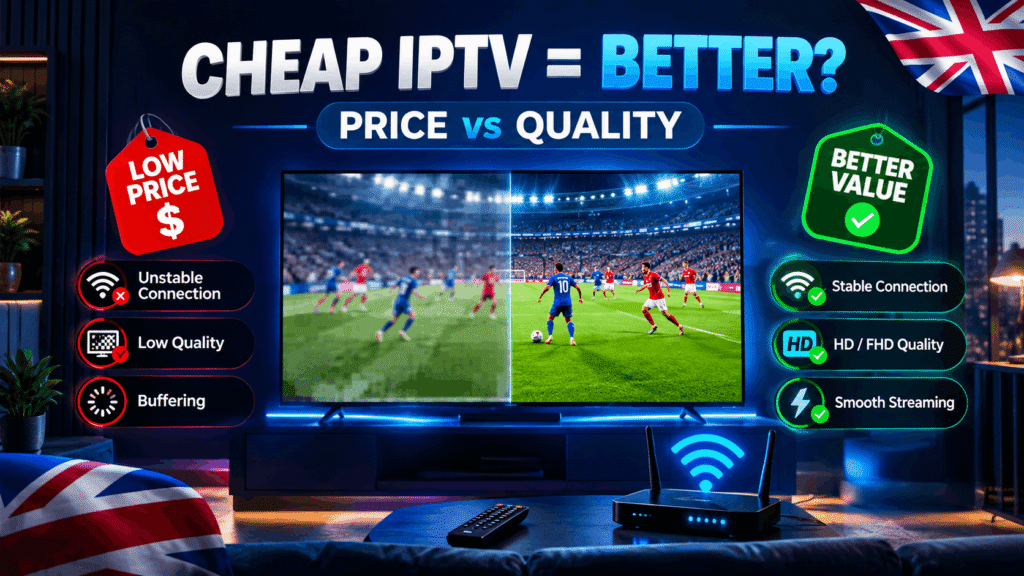
Not necessarily.
Price matters, but it should be considered alongside reliability, support, compatibility, security, and content rights.
Imagine two services:
Service A costs less but offers limited support, unclear terms, and inconsistent performance.
Service B costs slightly more but provides transparent information, better device support, clear policies, and dependable customer assistance.
The second option may provide much better value over time.
Instead of asking, “What is the cheapest subscription?”, ask:
“Which service gives me the features and reliability I actually need?”
That is a much better way to compare subscriptions.
What Internet Speed Do You Need for Live Football?
There is no single internet speed that guarantees perfect streaming because stability matters as much as raw download speed.
As a general rule, higher-resolution video requires more bandwidth than standard-definition streaming.
For the best experience:
- Use a stable broadband connection.
- Avoid unnecessary downloads while watching.
- Use Ethernet where practical.
- Keep your streaming device updated.
- Restart your router if your connection becomes unstable.
- Test your connection before an important match.
If several people are streaming or gaming on the same network, available bandwidth can also be divided between devices.
Why a Trial Can Be Useful
If a provider offers a legitimate trial, it can be an excellent way to evaluate a UK Premier League IPTV subscription before making a longer commitment.
During the trial, do more than check whether one channel opens.
Test several things:
- Open different sports channels.
- Switch between channels quickly.
- Watch for buffering.
- Test the service on your main device.
- Check the EPG.
- Contact customer support.
- Review the subscription terms.
- Check the picture quality at different times.
A service that works well for ten minutes may not necessarily provide the same experience over an entire match.
Frequently Asked Questions
Is IPTV legal in the UK?
IPTV technology itself is legal. The important issue is whether the provider has the appropriate rights to distribute the television channels and content it offers. Always choose authorised services and verify the provider’s licensing or distribution rights.
What should I look for in a UK Premier League IPTV subscription?
Focus on content rights, reliability, picture quality, device compatibility, customer support, transparent pricing, privacy practices, and clear subscription terms. Avoid choosing a service based only on channel count or price.
Can I watch Premier League matches in 4K through IPTV?
4K streaming can be available for compatible content and devices, but it depends on the provider, the source channel, your device, and your internet connection. Do not assume that an advertised 4K package means every football match will be available in native 4K.
Why does my IPTV stream buffer during live matches?
Buffering can be caused by several factors, including an unstable internet connection, Wi-Fi interference, network congestion, device limitations, or problems with the streaming source. Testing your connection and using Ethernet where possible can help identify the cause.
Should I choose a monthly or yearly IPTV subscription?
A monthly plan generally gives you more flexibility and allows you to evaluate an unfamiliar service with less commitment. Longer plans may offer a lower monthly price, but you should first make sure the provider is reliable, transparent, and properly authorised.
Does IPTV work on Smart TVs?
Many IPTV services can work with Smart TVs or compatible IPTV players, but compatibility varies. Check the provider’s supported devices and installation instructions before subscribing.
Final Thoughts
Choosing a UK Premier League IPTV subscription should involve more than finding the biggest channel list at the lowest price.
For football fans, the real value comes from a combination of reliable streaming, suitable picture quality, device compatibility, useful support, transparent policies, strong privacy practices, and legitimate content rights.
Take a few minutes to investigate the provider before committing to a long-term plan. Test the service when possible, read the terms, check your own internet connection, and make sure the content you want to watch is legally distributed.
The goal is simple: find a secure, stable, and properly authorised streaming solution that lets you enjoy live football without unnecessary technical or legal headaches.
If you are comparing providers, prioritise reliability and transparency over impressive-sounding promises. The right choice is not necessarily the service with the most channels—it is the one that delivers the experience you actually need while respecting the rights behind the content
Ready for a Better UK IPTV Experience?
Looking for reliable UK streaming with HD, FHD and 4K quality? Streamora IPTV offers flexible IPTV plans, a wide selection of live channels and responsive support. [Explore Streamora IPTV] and choose the plan that suits you best.